


Send Form Submissions to Email in Kickpages
Send Form Submissions to Email in Kickpages
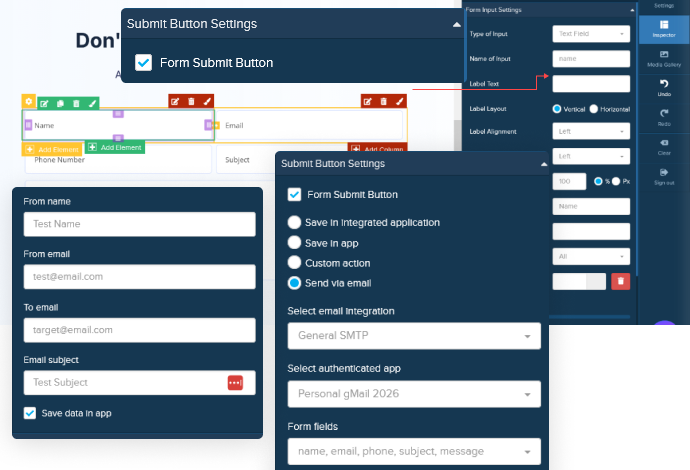
Kickpages makes it easy to send form submissions directly to your email so you never miss a lead. With built-in email integrations, every time a visitor submits a form, the data is instantly delivered to your inbox.
You can connect your forms using popular email services like SendGrid, Elastic Email, or any standard SMTP provider. Once your email integration is set up and verified, you simply choose email as the form action and define where the submission should be sent.
Each submission arrives as a clean, structured email showing all form fields and user responses, making it perfect for contact forms, lead inquiries, and quick notifications. You can also enable data storage inside Kickpages to keep a record of all submissions.
This feature is ideal for businesses that want a fast, no-code way to receive form entries without relying on complex automation tools.
What You Need Before You Begin
To send form data via email, you’ll first need:
✅ A Kickpages project with a form
✅ A verified email sending integration – either:
- SendGrid
- ElasticEmail
- General SMTP
You can add and manage these in the Manage → Integrations area of your Kickpages dashboard. Make sure the email address you plan to send from is validated within the email service provider you choose.



Unlike a lot of our competitors, we use our own app. Everything you see on our website is built by Kickpages.